Virtual machine backup
It is important to back up the virtual machine before making major modifications. This will allow you to revert to a previous state in case of a problem.
There are a few methods to back up the virtual machine:
- Create a snapshot of the virtual machine
- Clone the virtual machine
- Copy the virtual machine files to another hard drive or network location
Create a snapshot of the virtual machine
One method is to create a snapshot of the virtual machine. A snapshot is an image of the current state of the virtual machine. You can revert to this state at any time.
Note that snapshots are stored in the same location as your virtual machine. They will not protect you from a hard drive failure. Additionally, they will not protect you from file corruption, as they depend on the virtual machine files.
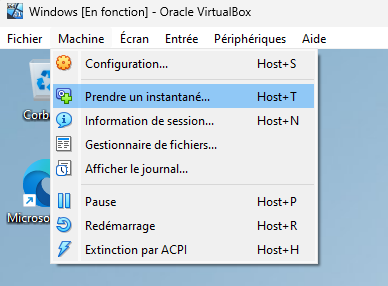
You can create a snapshot by clicking the "Take Snapshot" button in the VirtualBox toolbar. You can also create a snapshot by going to the "Machine" menu and selecting "Take Snapshot."
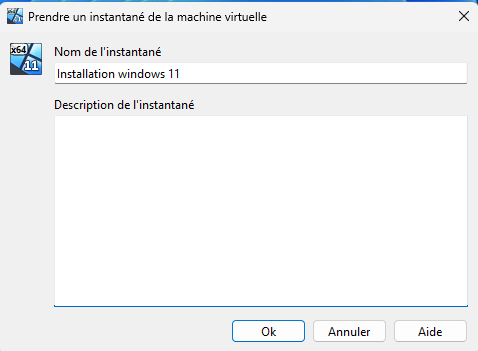
You can then give a name and description to the snapshot.
To see the list of snapshots, go to the "Machine" menu and select "Tools" and then "Show Snapshots." You can also access the tools via the "hamburger" icon next to the virtual machine's name.
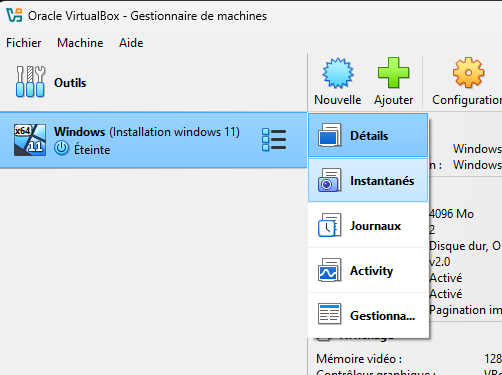
You will then see the list of snapshots for the virtual machine.

Clone the virtual machine
Another method is to clone the virtual machine. A clone of the virtual machine is an exact copy of the virtual machine, including the virtual hard disk files and the virtual machine settings.
A clone is an excellent way to share a virtual machine with another user.
Snapshots are not cloned. The clone is a copy of a specific state. However, you can choose to base this state on a snapshot.
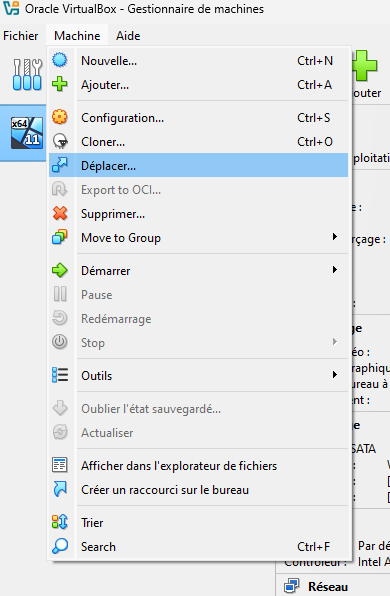
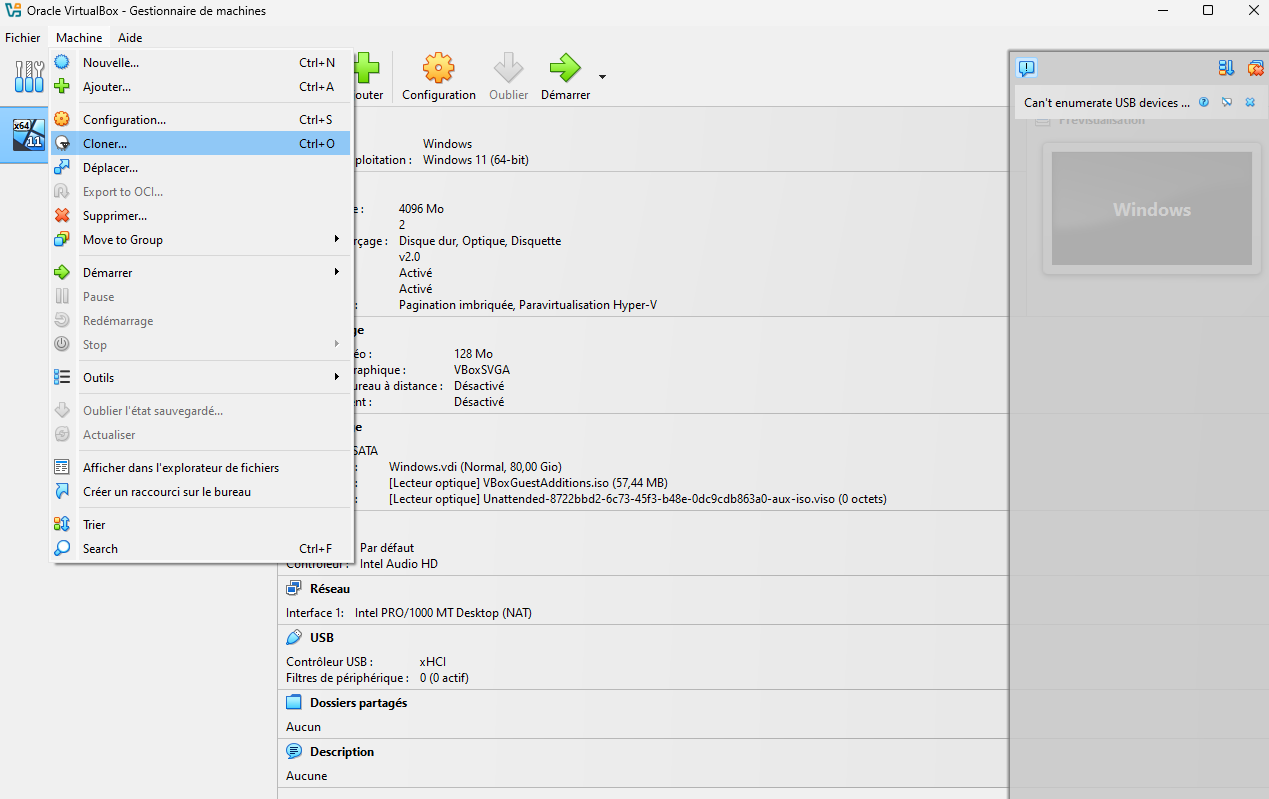
To create a clone of the virtual machine, go to the "Machine" menu and select "Clone."
Copy the virtual machine files
Finally, it is always possible to copy the virtual machine files to another hard drive or network location. This simple method remains a good way for you to back up your VM to another hard drive or network location.
A simple way to find out where the virtual machine files are located is to go to the "Machine" menu and select "Move."