Application, processes, and threads
This course is based on the excellent book Operating Systems: Three Easy Pieces by Remzi H. Arpaci-Dusseau and Andrea C. Arpaci-Dusseau.
Application and process
The term application is a general concept that refers to a program executed by a user. It is not a precise technical term, but it is often used to refer to a program that interacts with the user, such as a text editor, a web browser, or a game.
A process is an instance of a program in execution. It represents the execution environment of the application, including its resources and state. A process is created when an application is launched and can be terminated when the application closes. The same program can be executed multiple times, thus creating several distinct processes.
More formally, initially, a program is just an executable binary file stored on disk. This binary file contains:
- The machine code of the application, which is the code executable by the processor.
- The static data, which are global variables and constants used by the application.
- The resources necessary for the execution of the application, such as shared libraries and configuration files.
A process is created when the operating system loads the binary file into memory and initializes the execution environment. So, metaphorically, a process is a copy of the program in memory, with its own address space, its own resources, and its own state.
Execution environment
The execution environment of a process includes:
- A process identifier (PID), which is a unique number assigned by the operating system to identify the process.
- The address space, which is the memory allocated to the process to store its code, data, and execution stack.
- The file descriptors, which are references to files opened by the process.
- The environment variables, which are key-value pairs used to configure the behavior of the process.
- The signals, which are notifications sent to the process to indicate that an event has occurred, such as an interruption or an error.
- The threads, which are lightweight execution units within a process. A process can have multiple threads that share the same address space and resources, but execute independently of each other.
Address space
When a process is created, the operating system allocates it an address space, which is a range of memory addresses that the process can use to store its code, data, and execution stack. This address space is isolated from other processes, meaning that a process cannot directly access the memory of another process.
In fact, from the program's point of view, it has the memory entirely at its disposal, without worrying about other processes. The memory is divided into a few large segments:
- The code segment, which contains the executable code of the program.
- The data segment, which contains global variables and static data structures.
- The stack segment, which is used to store local variables and function parameters.
- The heap segment, which is used for dynamic memory allocation
(e.g., with
mallocin C ornewin C++).
CPU sharing
It is more than likely that you have many more active processes than processor cores on your machine. Therefore, a way must be found to share the CPU among the different processes transparently for the user.
The main idea is to make each process believe it has the CPU entirely for itself. To do this, the operating system uses a mechanism called scheduling. Scheduling consists of assigning time slices (or quanta) to each process, so that each process can execute for a certain time before being interrupted and giving way to another process.
When a process is interrupted, its state is saved in the operating system, so that it can resume execution later from the same point. The operating system uses a scheduling algorithm to decide which process should execute at a given time. If you have ever heard the term "context switch," that's exactly what it means: the operating system saves the state of the current process and restores it later to resume execution.
It is also the operating system that manages which process runs on which processor core. It can move a process from one core to another to optimize the use of system resources. This allows for distributing the workload among the different cores and improving the system's performance.
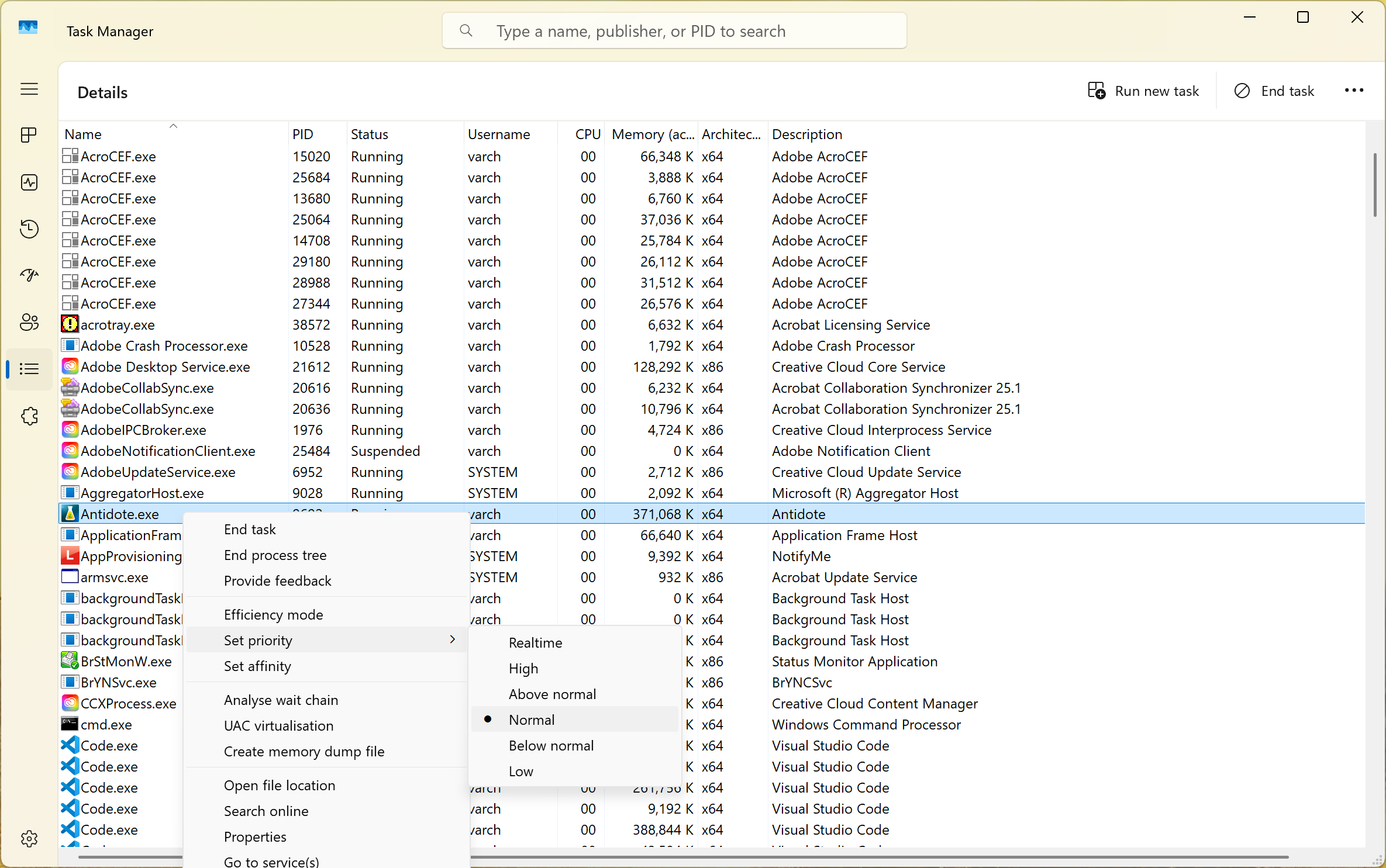
As a user, you do not have to worry about process scheduling, because the operating system handles it automatically. However, you can influence scheduling by changing the priority of processes or their affinity (i.e., the processor core on which they should execute).
On Windows, you can use the task manager (Details tab) to change a process's priority or its affinity.
Processes and threads
Your operating system works very hard to isolate processes from each other, but there are cases where it is desirable for the same program to execute multiple tasks in parallel. It is also sometimes simpler for certain tasks to share resources, such as memory, rather than duplicating these resources for each task. This is where threads come into play.
A thread is a lightweight execution unit within a process. A process can have multiple threads that share the same address space (memory) except for the stack, but execute independently of each other. So if you have a process with multiple threads, these threads can execute in parallel on multiple processor cores, which improves the program's performance. Even without multiple processor cores, threads allow for better CPU utilization by avoiding unnecessary wait times, for example, when waiting for a network response or performing input/output operations.
Thus, a thread can be seen as a lightweight process that shares the memory of the parent process. It is also supported by the operating system's scheduling. Therefore, like processes, it is generally difficult to predict exactly when a thread will execute, as it depends on the operating system's scheduling and the current workload of the system.
Kernel threads and user threads
Somewhat confusingly, there is another concept of thread. Indeed, we can distinguish between threads managed by the operating system (called kernel threads) and threads managed by the application (called user threads). Kernel threads are managed by the operating system and are scheduled by the kernel. They correspond to the description above. They can execute in parallel on multiple processor cores and are isolated from each other (except for memory).
User threads (green threads, coroutines in Go, fibers in Rust, etc.) are managed by the application and are scheduled by the application itself. They are generally lighter than kernel threads because they do not require management by the operating system. However, they cannot execute in parallel on multiple processor cores because they are scheduled by the application and not by the operating system. It's a bit like the process dividing its own time and doing its own scheduling. But all this within a single process or thread.
Some languages like Go mix the two concepts. They allow having M coroutines (user threads) that execute on N threads (kernel threads). It is the Go runtime that manages the scheduling of coroutines on the threads. This allows for fine resource management while benefiting from the operating system's scheduling and multi-core parallelism.